Today, sorted for you
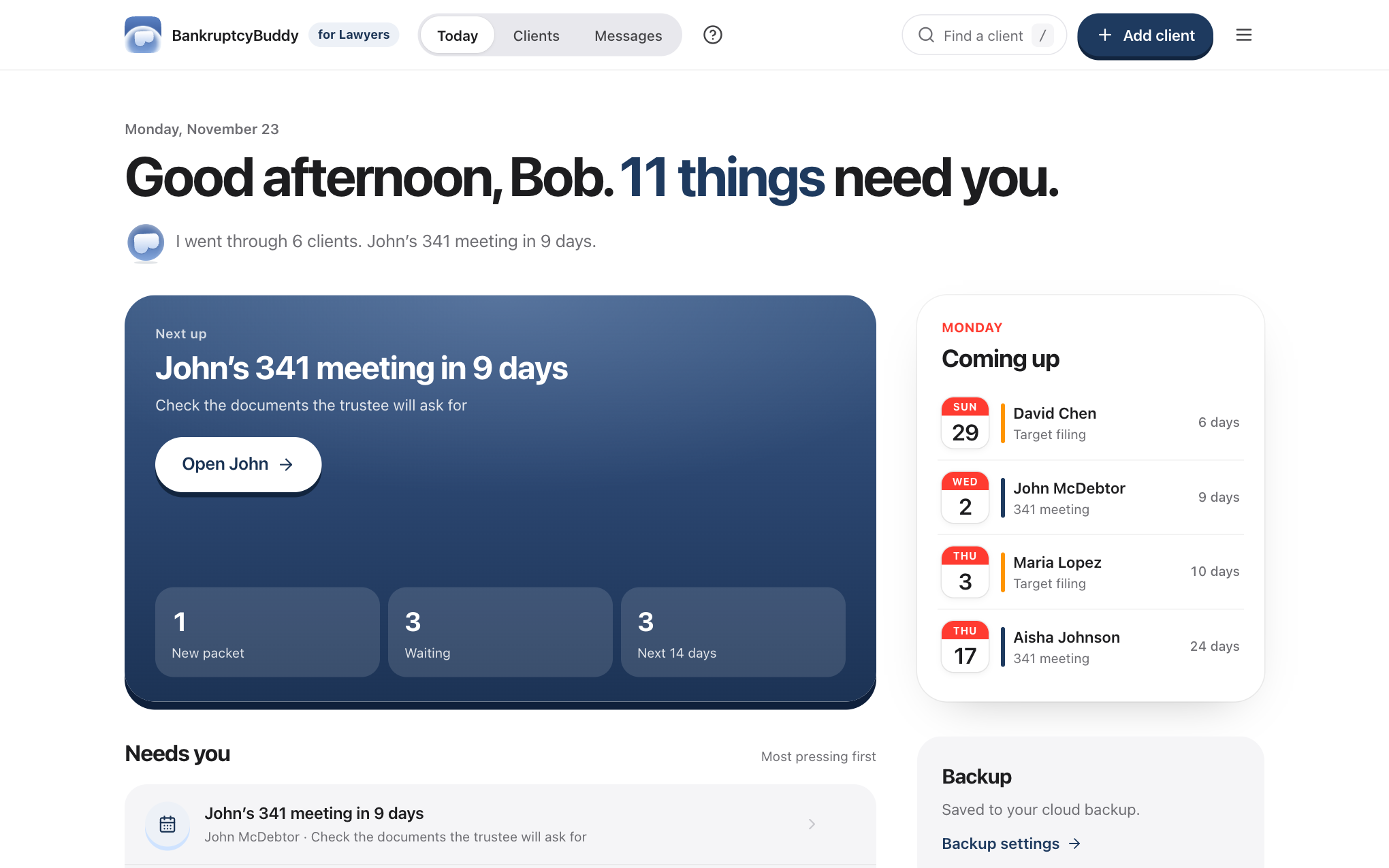
New packets, overdue documents, reminders that are due and 341 meetings coming up, most pressing first.
Bankruptcy Buddy for Lawyers
Clients organize their paperwork for free and send you a protected packet. You check it, chase what’s missing and print a draft for the schedules.
Free trial. Files in your browser, backups encrypted.
Clients show up with a bag of statements, half a pay stub and a creditor list from memory. Your staff asks for the same documents again and again. Bankruptcy Buddy moves that work earlier, to the client, in plain English, and hands you the result in one place.
Choose how you want to create your client file: invite the client, open their packet, or input it yourself.
Add documents to the client file directly as you get them, and Buddy will extract the relevant information. You add what’s right.
Create a worksheet with their information. Use it to populate the official forms directly, or use it with your current filing software.
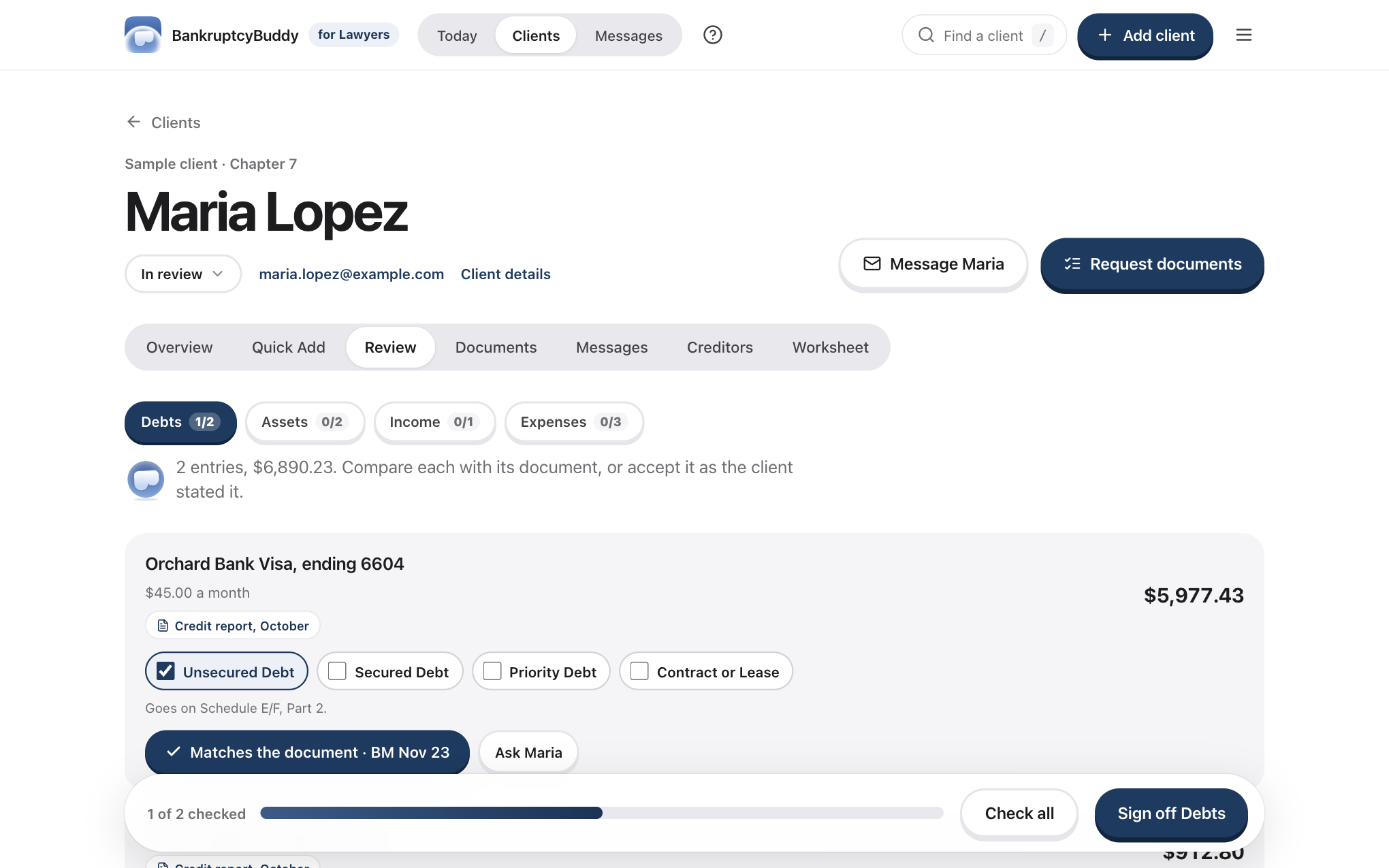
See where every number in the worksheet came from, and confirm each line yourself.
New packets, overdue documents, reminders that are due and 341 meetings coming up, most pressing first.
Debts, assets, income and expenses, each shown with its source: a document the client provided, or what the client told Buddy. One click records that you compared it, with your initials and the date.
Every file starts with the documents most cases need. Add more from a longer list, each with what it’s for, or your own. Reminders come due on day 3, 7 and 10; you send each from your own email.
Grouped for A/B, D, E/F and I/J, with what you checked and what you didn’t. Print it or download the creditor list as CSV.
Buddy for lawyers
Every AI result is labelled and linked to its source in what the client provided, and nothing changes until you act on it. You can turn BuddyAI off in Firm settings; the built-in checks work without it.
Paste this into an email or your intake letter.
Before we meet, please use Bankruptcy Buddy to organize your debts, property, income and expenses. It’s free, you don’t need an account, and your information stays on your device until you send it. 1. Go to bankruptcy-buddy.com and open the workspace. 2. Add what you have. Skip what you don’t know. 3. When you’re done, open Review packet, download the protected packet and send it to us. Send the password separately, in its own email or by text. Bankruptcy Buddy gives legal information, not legal advice. We will go through everything with you.
Nothing during the preview. Your clients’ workspace is free. If firms ever pay for it, we will say so well before anything changes, and you can always download your data.
Not yet. The worksheet follows the schedules, and the creditor list downloads as a CSV you can bring into your software.
In your browser. You sign in with your email, and your clients’ files stay in the browser you work in. From the start, an encrypted copy is also kept in your account, and you can turn this cloud backup off in Firm settings. It is locked before it leaves your browser, and only your recovery code opens it, so we can’t open it, and we can’t recover it if you lose the code. A client sends a packet either as a password-protected file or through your locked mailbox, where it is encrypted on the client’s device and held on our server only until your workspace picks it up. Only your workspace can open it. You can download an encrypted backup of the whole workspace at any time. Protecting client information is still your duty: use a secured device and share passwords separately.
BuddyAI is on from the start, and you can turn it off in Firm settings. Before anything leaves your browser, it hides names, account numbers, Social Security numbers, birth dates and addresses, then sends the rest to Anthropic’s AI to write the brief, answer or draft. Nothing is stored on our servers. The built-in checks work either way.
One computer at a time for now. Download an encrypted backup in Firm settings and add its clients on another computer. There are no shared logins yet.
Bankruptcy Buddy is an independent product. Your clients live in your browser, so they stay with you; the cloud backup is an extra copy. Keep a recent backup file and the packets.
You are. Clients enter their own information and Buddy can misread a document. Every figure shows its source, and every check records who compared it with what, and when.
No. On the client side Buddy gives legal information and helps organize facts and documents. It does not recommend a chapter, pick exemptions or prepare filings. You give the advice.
Send the invite above with your intake letter. It works on a phone, clients can skip what they don’t know, and a partial packet is still useful.
Open the workspace and load your first client’s packet. Questions? hello@bankruptcy-buddy.com